

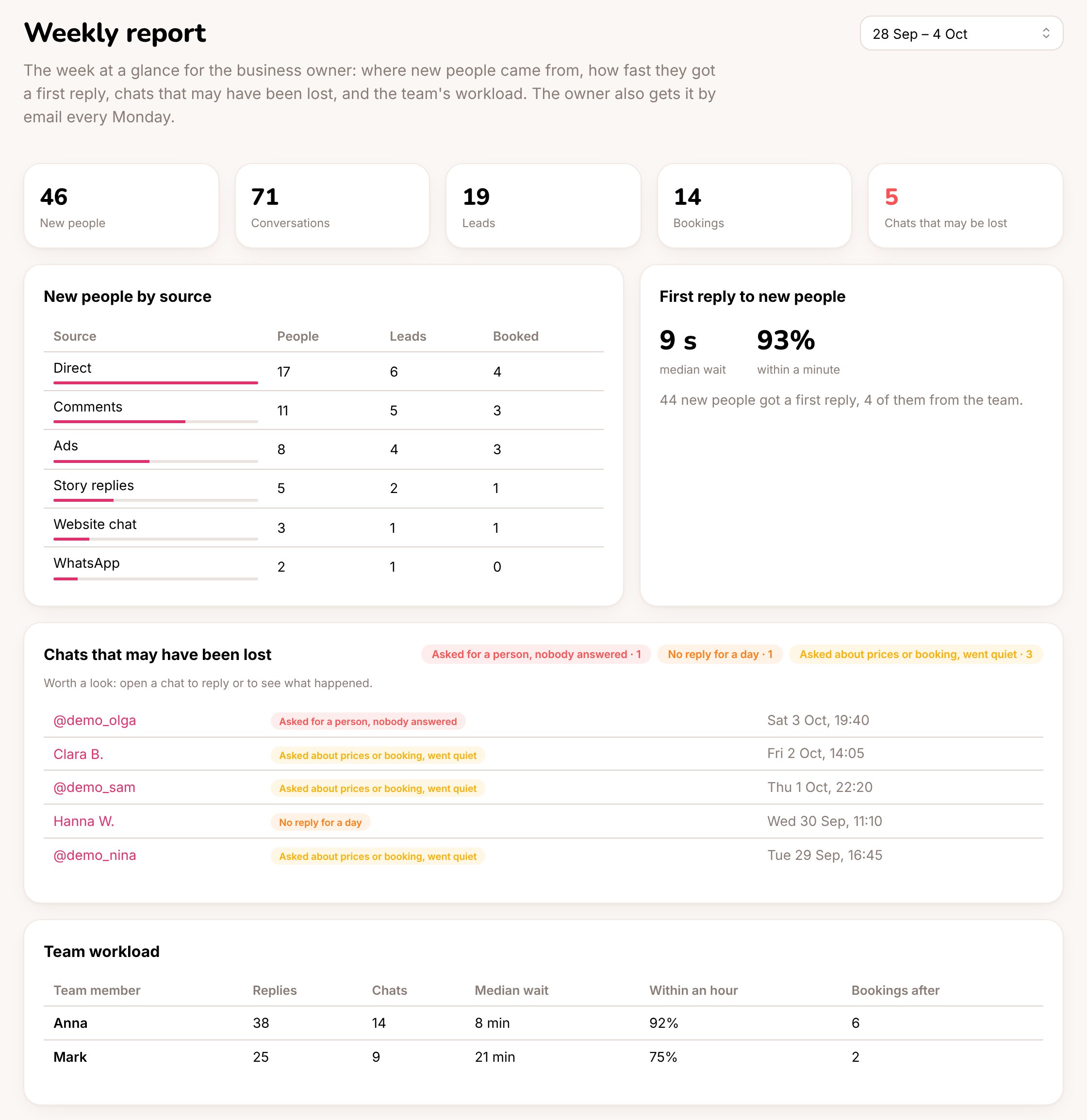
The weekly report
What’s in it
The week in numbers: new people, conversations, leads, bookings and chats that may have been lost. New people by source: where each new person first came from, how many became leads (asked about prices or booking, or moved on the lead board) and how many booked.
First reply to new people: how long new people waited for their first answer (the median) and how many got it within a minute. Most answers come from the assistant straight away. The note says how many came from the team.
Chats that may have been lost: worth a look every week.
Click a name to open the chat.
Team workload: for each team member, replies, chats, the median time customers waited for them, the share answered within an hour, and bookings within a week of their reply. See Team performance for longer periods.