

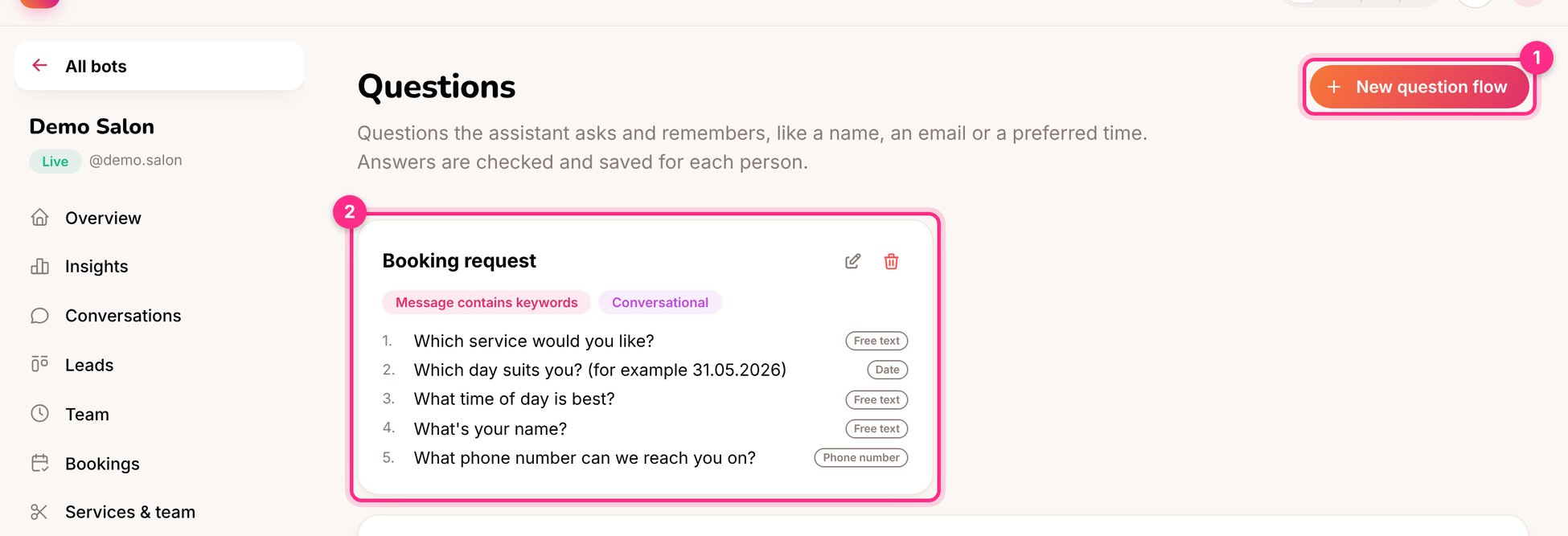
Questions: a new flow (1) and the booking request flow (2)
Create a flow
1
Click New question flow (1)
Name it, and choose when it starts: the person’s first message, a message containing keywords, or a Behaviour rule.
2
Choose the style
- Conversational: people can ask other things in between; the assistant answers, then asks the next question again.
- Step by step: every message is the answer to the current question. Best for forms.
3
Add the questions
For each one choose the answer type:
4
Add an intro, a closing message and (optionally) a webhook
The webhook sends the answers as JSON to Zapier, Make or a CRM when the flow is finished.
Ideas
- Onboarding for a coach: name, goal, experience level, budget, then a consultation time.
- Restaurant reservation: date, time, number of guests, any allergies.
- Wholesale enquiry for a shop: company name, email, products, quantities. Send it to the CRM with the webhook.