

What you can be told about
Turn on phone notifications
1
Click Turn on notifications
On the home page or in Settings. Allow notifications when the browser asks.
2
On iPhone, add it to the Home Screen first
In Safari tap Share → Add to Home Screen, open it from there, then turn notifications on.
3
Send yourself a test
Click Send me a test to check it arrives.
The home page
The home page brings everything together: Needs you (people waiting, questions, orders, approvals, reminders), what happened in the last day, what’s coming up this week and the latest activity.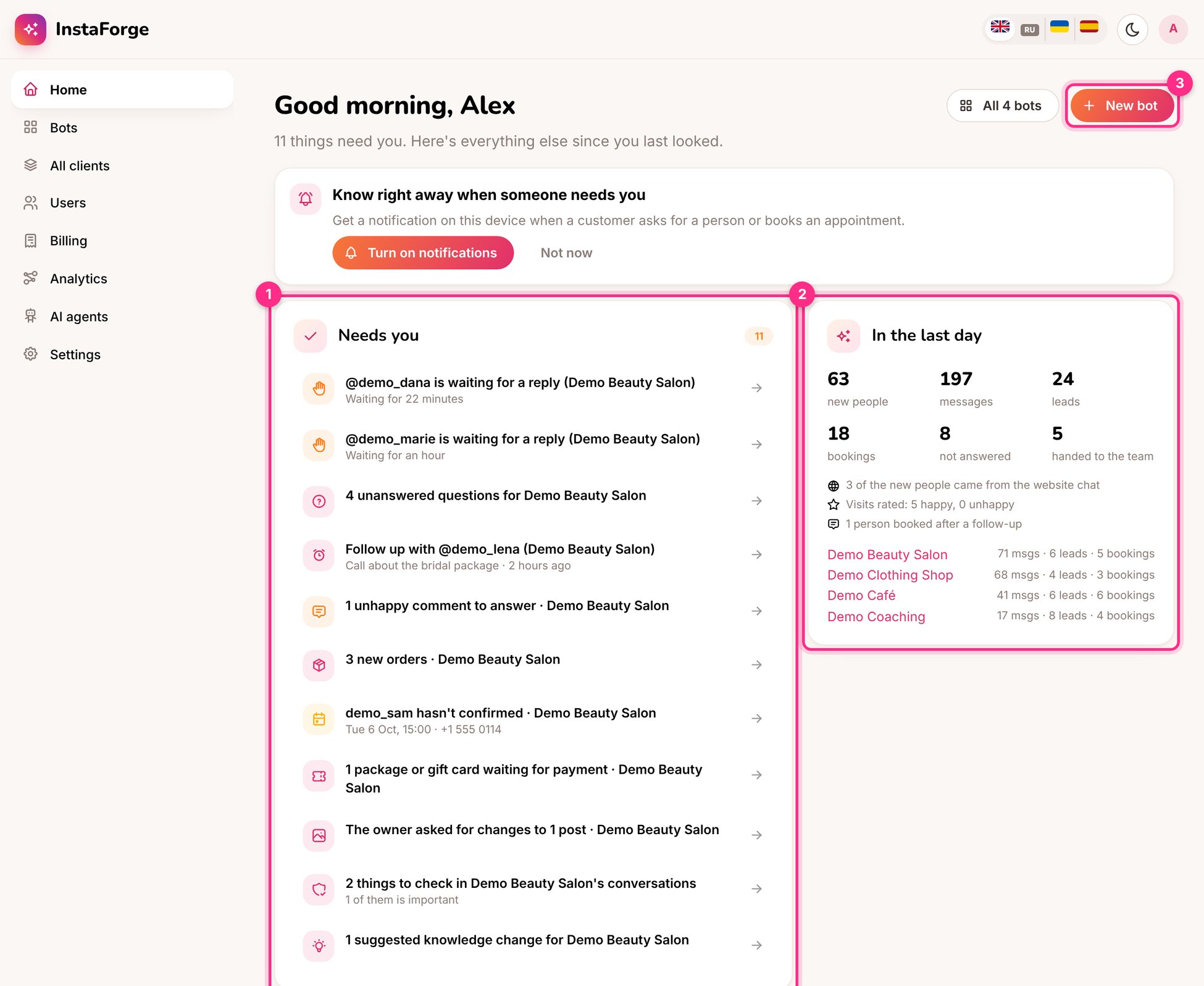
The home page
Admins can add a Telegram bot for the agency in Settings → Notifications. Everyone can then connect their own Telegram in one tap.