

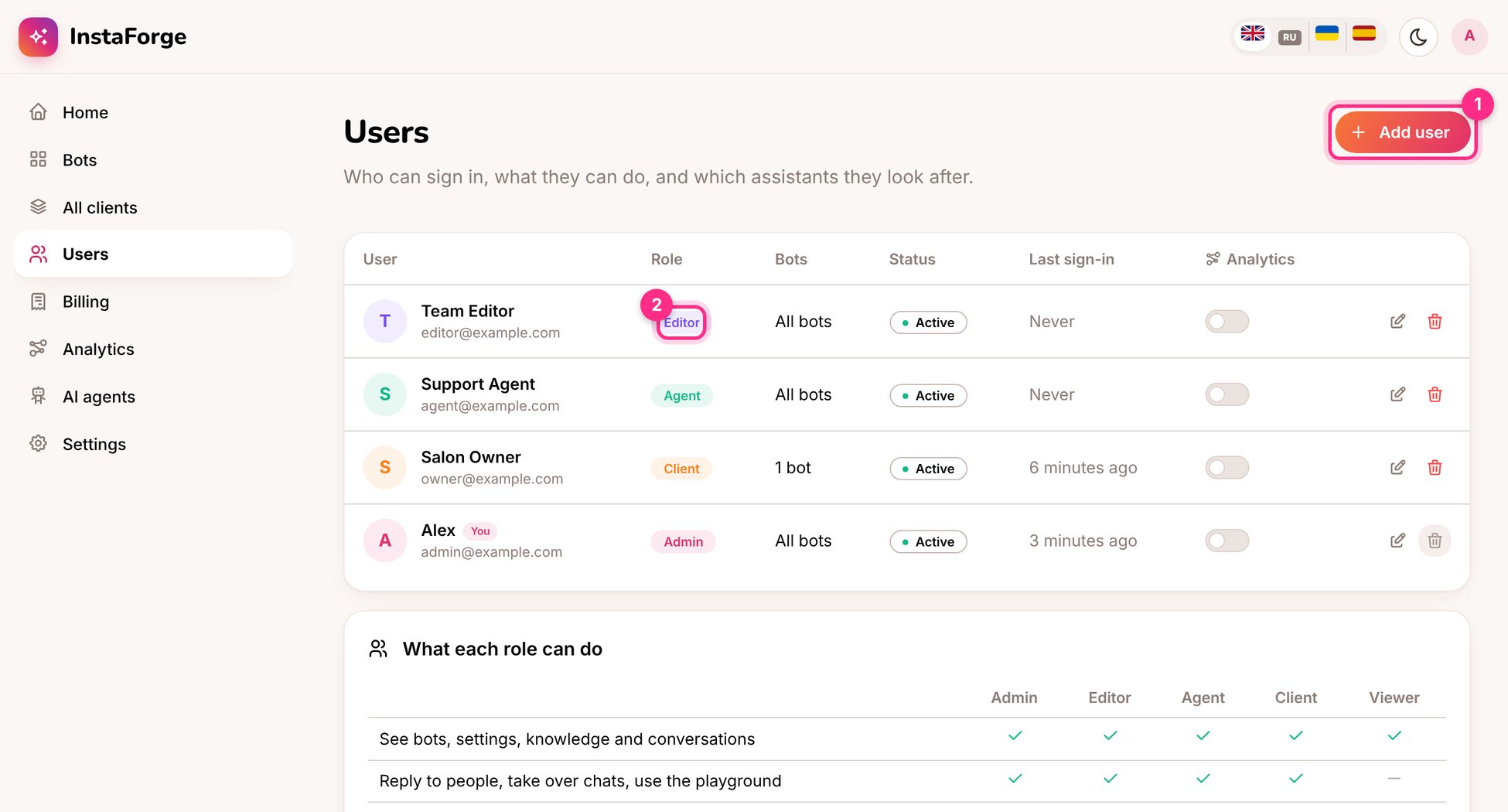
The Users page
Above the agencies there’s one platform owner, who creates agencies, sets their limits and looks after backups and monitoring. The owner doesn’t appear in an agency’s Users list. See Agencies and the platform owner.
Add a user
1
Open Users and click Add user (1)
Enter their name and email, and choose the role.
2
Choose which bots they see
Leave All bots on for your own team. For a client, switch it off and pick only their bot.
3
Send the invitation
They get an email with a link to set their password. If email isn’t set up on your server, copy the link and send it yourself.
Signing in safely
Each person can turn on two-step sign-in with an authenticator app in Settings → Sign-in and security, and see and sign out the devices they’re signed in on.Seeing all clients at once
All clients lists every bot you look after, with what needs attention first, its activity and its AI spend this month. Change several at once applies the same FAQ answer or setting to many bots in one go, and records it in each bot’s history.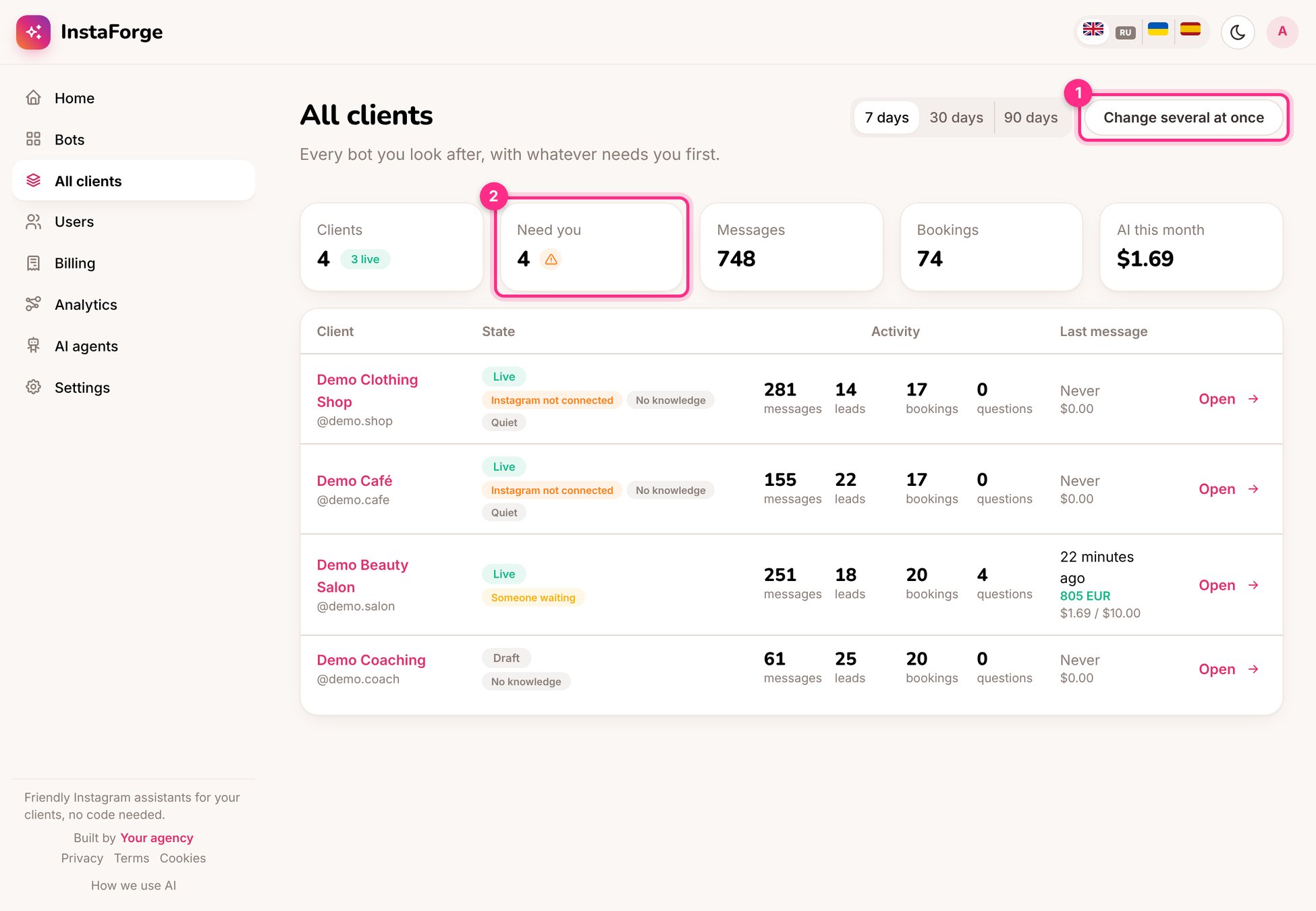
All clients