

Insights
Each assistant’s Insights page shows how the assistant is doing over 7, 30 or 90 days: new people, messages, how many the assistant handled on its own, leads, the value of bookings, people handed to the team and open questions. Below that, every feature that’s switched on has its own results: the website chat, the booking page, follow-ups, reviews, gift cards, the shop, referrals, moderation and more.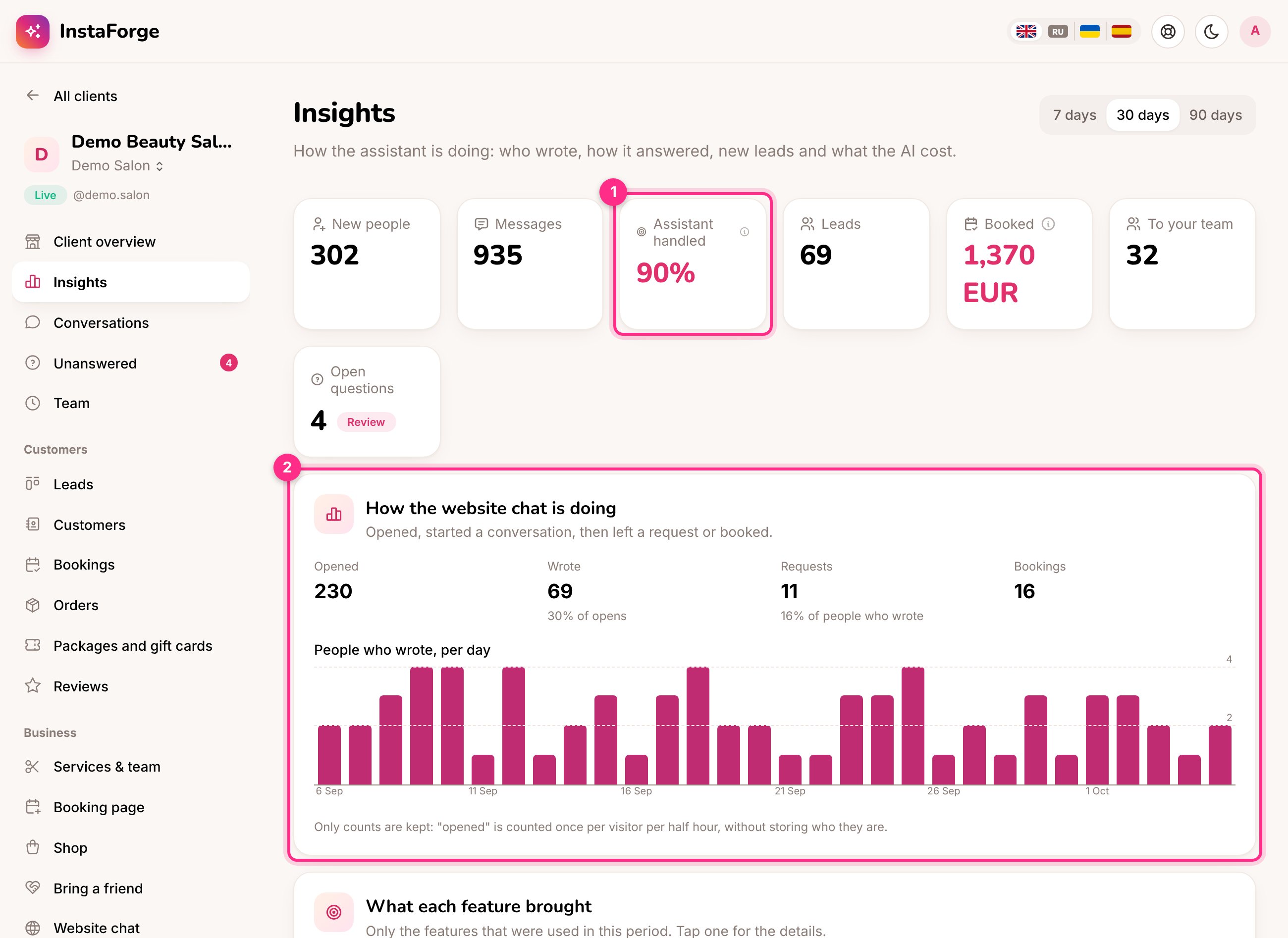
Insights
Monthly report for the client
On the 1st of each month the client gets an email with last month’s numbers: people who wrote, messages, how many the assistant answered, bookings, reviews, sales and what each feature brought in. Add up to 10 addresses on the client’s Leads & reports page and choose the report’s language. A client with several assistants gets one report per assistant, each titled with the assistant’s name.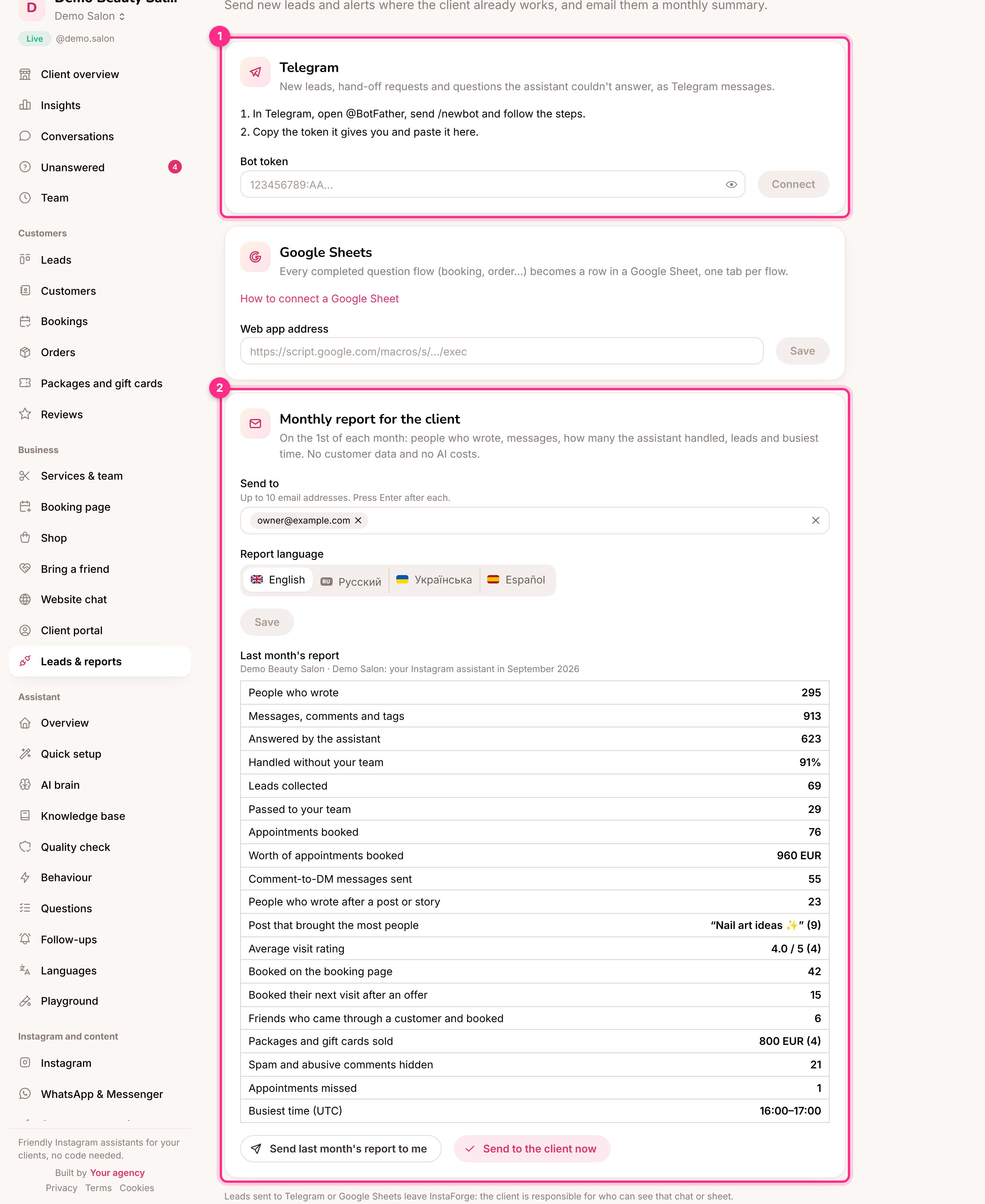
Leads and reports: Telegram (1) and the monthly report (2)
Telegram for the client (1)
New leads, hand-off requests and questions the assistant couldn’t answer, sent to the client’s own Telegram chat.1
Create a Telegram bot
In Telegram, open @BotFather, send
/newbot and follow the steps.2
Paste the token
Copy the token it gives you, paste it under Telegram and click Connect.