

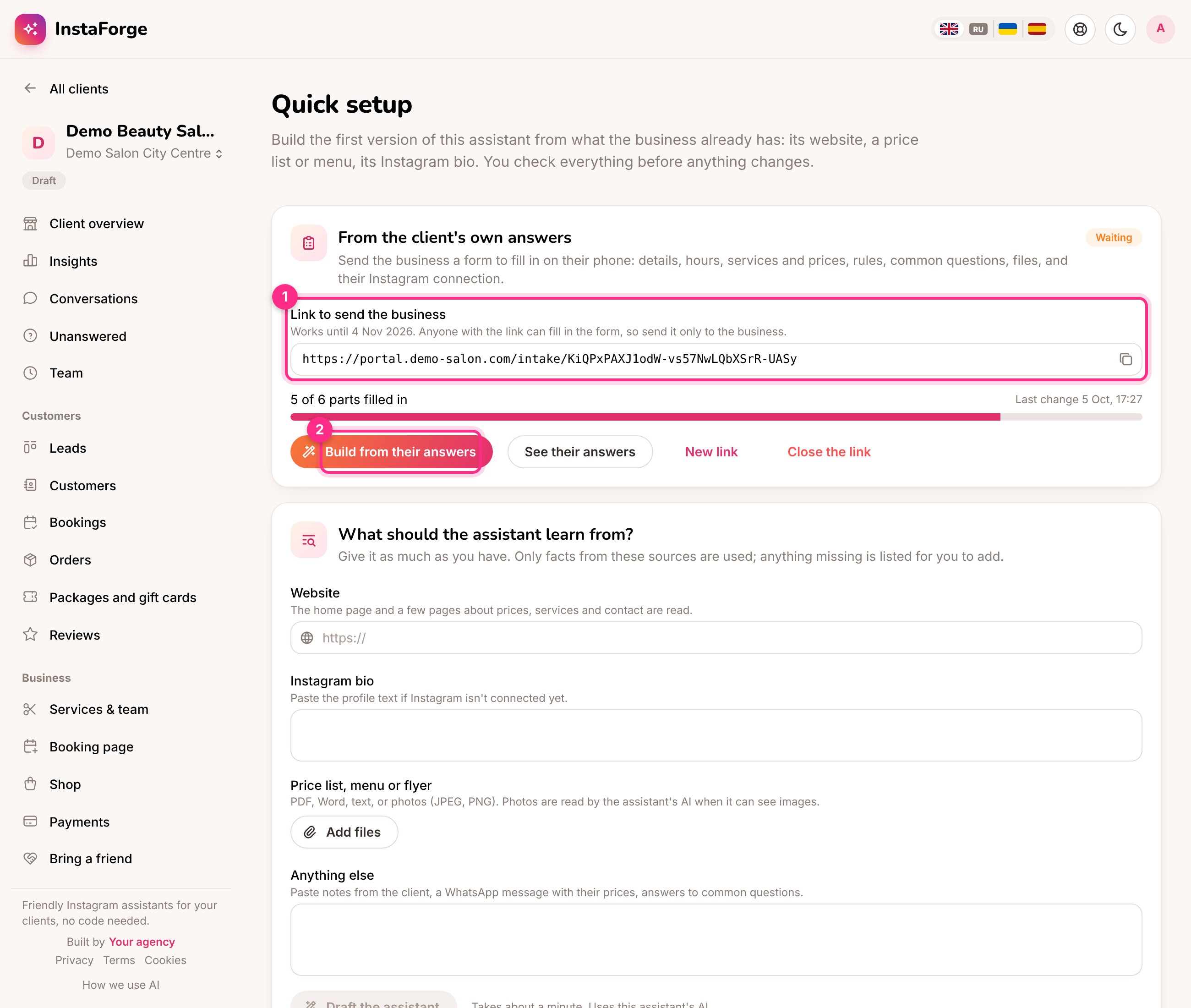
On Quick setup: the link to send (1) and building the assistant from the answers (2)
Send the form
1
Open Quick setup
In the assistant’s menu, open Quick setup. Admins and editors can use it.
2
Create the link (1)
Choose the language of the form (English, Russian, Ukrainian or Spanish) and click Create the link. The business can switch the language on the form too.
3
Send it to the business
Copy the link and send it to the business owner, for example on WhatsApp. It works for 30 days. Anyone with the link can fill in the form, so send it only to them.
What the business fills in
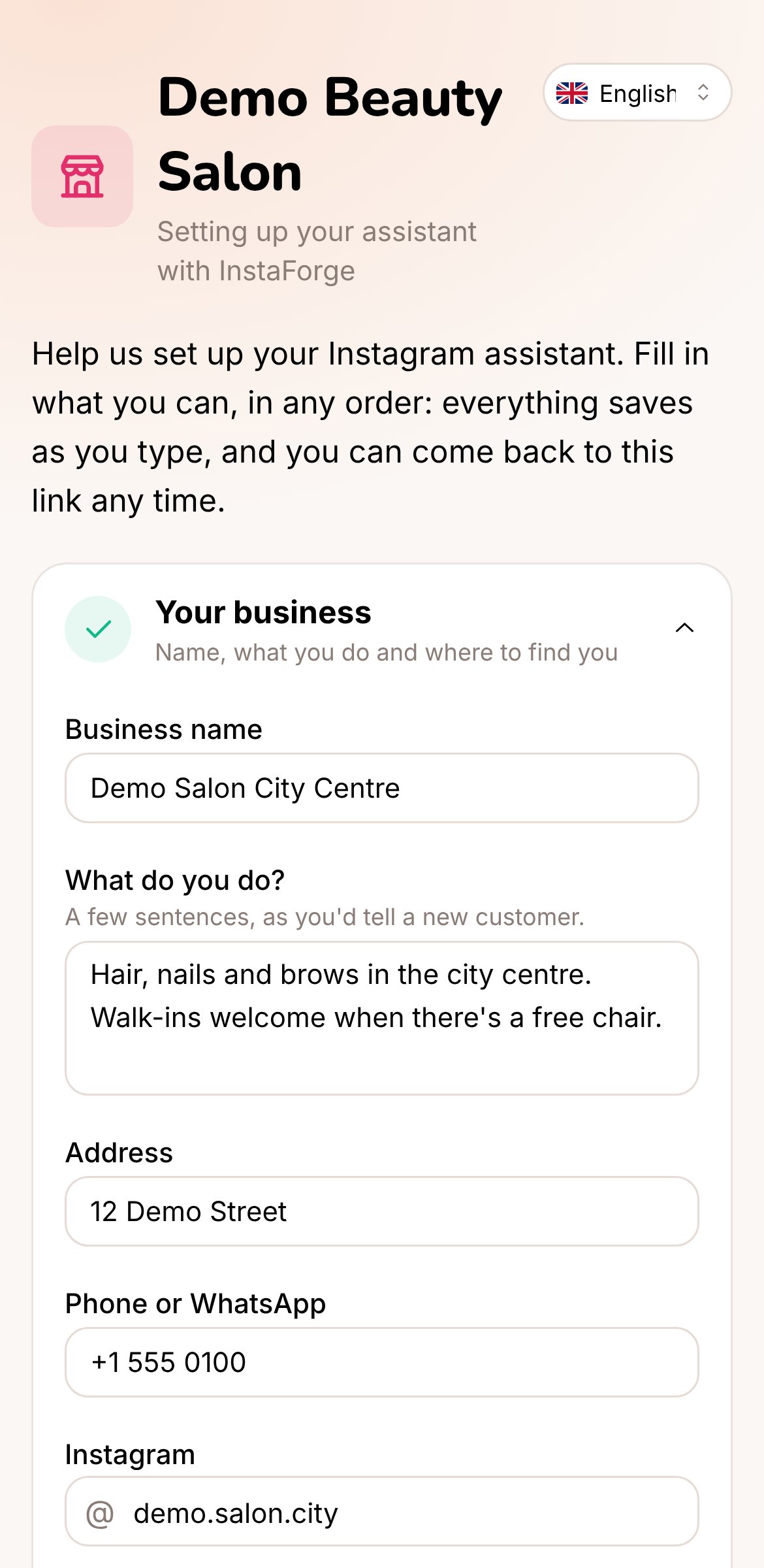
The form on a phone
- Their business: name, what they do, address, phone or WhatsApp, Instagram and website
- Opening hours, day by day
- Services and prices, with how long each takes
- Booking and cancellation, payment, and delivery rules
- Questions customers often ask, and their answers
- Their logo, and files such as price lists, menus or photos of signs
- How the assistant should talk, and the languages their customers write in
- A button to connect their Instagram account
Build the assistant from the answers (2)
The card shows how many of the six parts are filled in and when the business last changed something.- See their answers shows everything they wrote and lets you download their files. If they uploaded a logo, Use as the client’s logo puts it on the portal, booking page and shop.
- Build from their answers drafts the assistant from the answers, their files and their website, the same way as Quick setup does. The opening hours and prices are kept exactly as they typed them. Check the draft, untick what you don’t want, and apply.
Close or replace the link
New link makes a fresh link, and Close the link stops it working. Either way the old answers and files are removed, so build from them first if you need them. What you already applied to the assistant stays.The form shows only the business’s own answers and files. It doesn’t give access to the dashboard, the conversations or any other client.
client_intake tool: create a link, check progress and build the draft.