

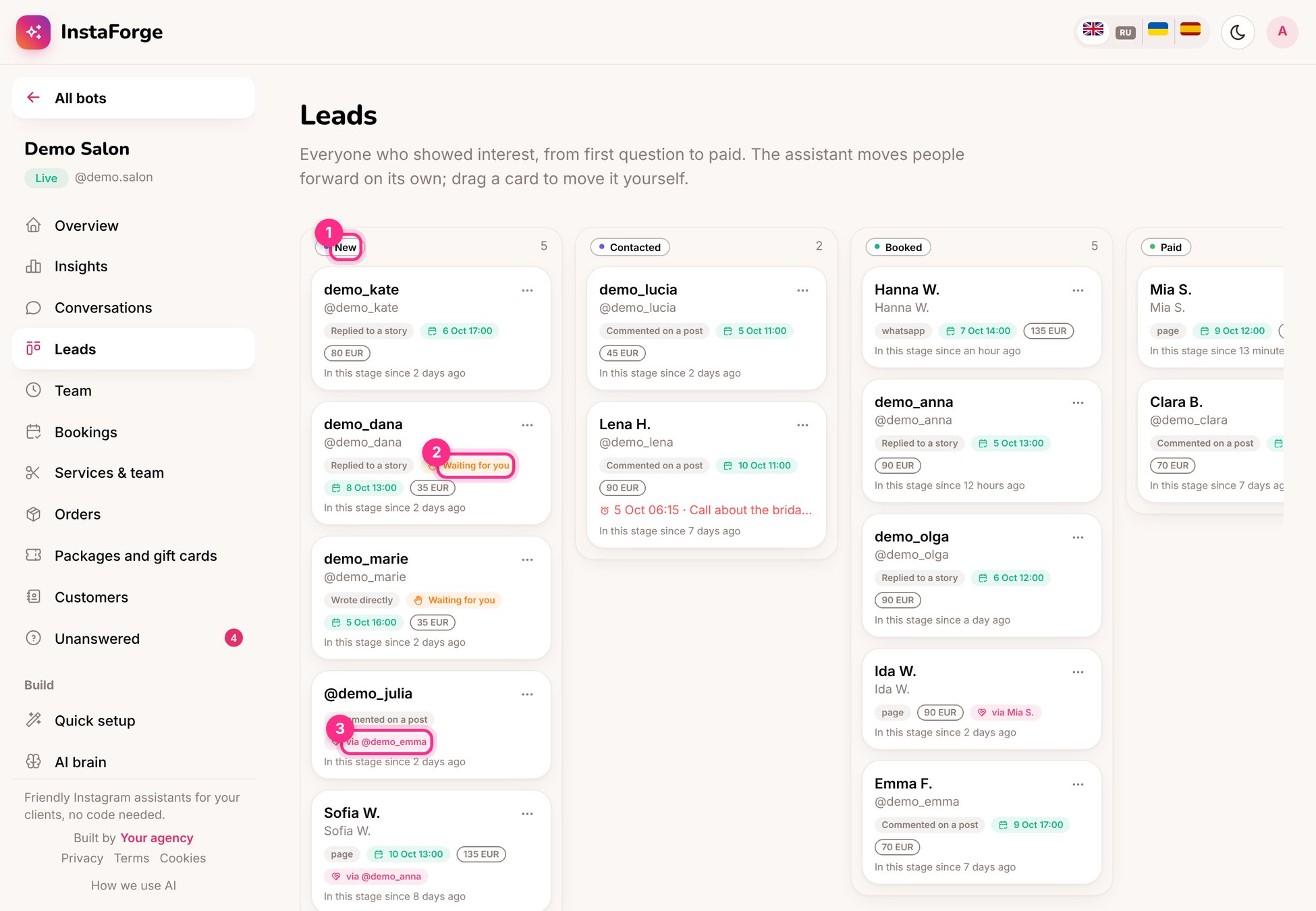
Leads: the stages (1), people waiting for you (2) and who invited them (3)
What each card shows
- Where they came from: a comment, a direct message, a story reply, an ad, the website chat, the booking page
- Waiting for you (2) when they asked for a person
- Their next appointment and its value
- via @someone (3) when a friend invited them (see Bring a friend)
- How long they’ve been in this stage
Work the board
1
Start with New and Waiting for you
Open the card, read the conversation and reply.
2
Add a note and a reminder
Notes stay on the person. A reminder (“Call about the bridal package”) appears on your home page at the time you set, and as an alert.
3
Move the card
Drag it to the right column, or mark it Lost with a reason.
The value on Booked and Paid cards comes from the service prices, so Insights can show how much the assistant booked.