> ## Documentation Index
> Fetch the complete documentation index at: https://docs.instaforge.app/llms.txt
> Use this file to discover all available pages before exploring further.

# Shop and orders

> Products with photos and prices, a shop page, and orders from the page and the chat.

The shop is a simple page of products where customers order for pickup or delivery. The assistant knows the products too, so people can order in the chat.

<Frame caption="The Shop page: open the shop (1), add a product (2) and a sold-out product (3)">
  <img src="https://mintcdn.com/instaforge/B8AqbF46P_4W3pwQ/images/shop.png?fit=max&auto=format&n=B8AqbF46P_4W3pwQ&q=85&s=93d3188cc90d6e269e186a9888adffe0" alt="The Shop page: open the shop (1), add a product (2) and a sold-out product (3)" width="2600" height="2200" data-path="images/shop.png" />
</Frame>

## Set up the shop

<Steps>
  <Step title="Add products (2)">
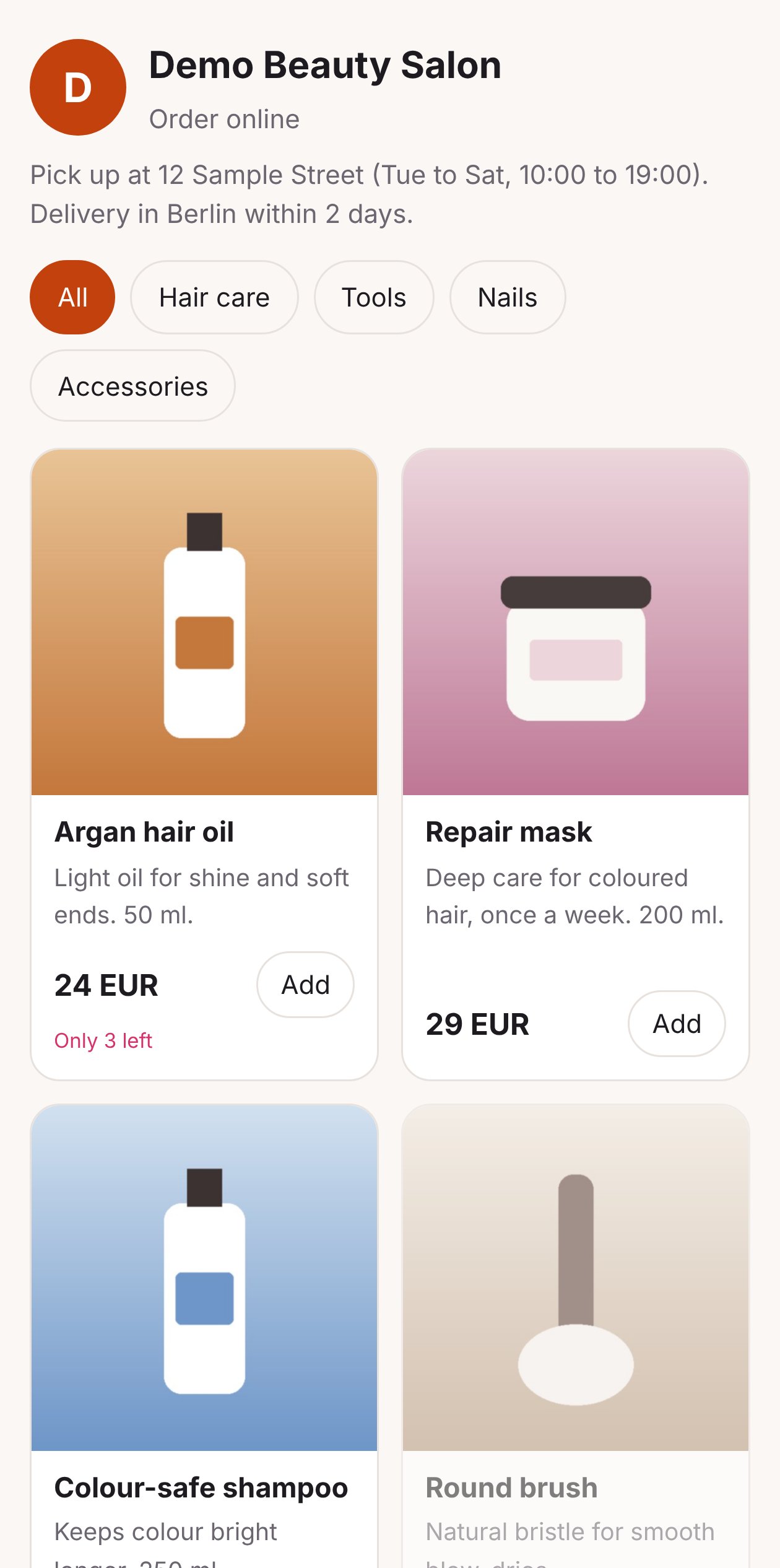
    A photo, a name and description (in each language), a price, a category and, if you want, how many are in stock. At 0 the product shows as **Sold out** (3).
  </Step>

  <Step title="Choose how orders are fulfilled">
    Pickup, delivery (with a delivery fee) or both, a minimum order, and a note ("Pick up at 12 Sample Street, Tue to Sat").
  </Step>

  <Step title="Choose how people pay">
    With Stripe connected (see [Online payments](/grow-sales/online-payments)), customers can pay online. Otherwise they pay on pickup or delivery.
  </Step>

  <Step title="Share the shop link">
    The shop lives at an address like `instaforge.app/shop/demo-salon`. Put it in the bio, in stories and in the assistant's answers.
  </Step>
</Steps>

<Columns cols={2}>
  <div>
    <Frame caption="The shop on a phone">
      <img src="https://mintcdn.com/instaforge/HVDnlmyBMfIyfa_y/images/shop-phone.png?fit=max&auto=format&n=HVDnlmyBMfIyfa_y&q=85&s=274ae48e6128c24c2c64756fd74acf32" alt="The shop on a phone" width="1260" height="2532" data-path="images/shop-phone.png" />
    </Frame>
  </div>

  <div>
    ### Orders

    Every order appears on **Orders**, with the items, total, pickup or delivery, and whether it's paid.

    Move an order along: **New → Paid → Ready → Delivered**, or **Cancelled**. Each move tells the customer in the chat (or by email), so nobody has to ask "where's my order?".
  </div>
</Columns>

<Frame caption="Orders: filter by status (1) and move an order along (2)">
  <img src="https://mintcdn.com/instaforge/B8AqbF46P_4W3pwQ/images/orders.png?fit=max&auto=format&n=B8AqbF46P_4W3pwQ&q=85&s=34b19056c55eb50ad9a9d4778132428b" alt="Orders: filter by status (1) and move an order along (2)" width="2600" height="1800" data-path="images/orders.png" />
</Frame>

<Tip>
  **Ideas:** a salon selling the products used in the chair; a café selling cakes for pickup; a coach selling workbooks. Mention the product in the [content plan](/content/content-planner) and add a comment campaign with the keyword WANT.
</Tip>


This documentation is built and hosted on [Mintlify](https://mintlify.com), a developer documentation platform.